
Reaper Monitor
Detailed system and process monitoring for macOS.
Inspect CPU usage, clock speeds, core types, and individual threads. Track memory and power use, with up to 24 hours of recorded activity.
Checking product options…
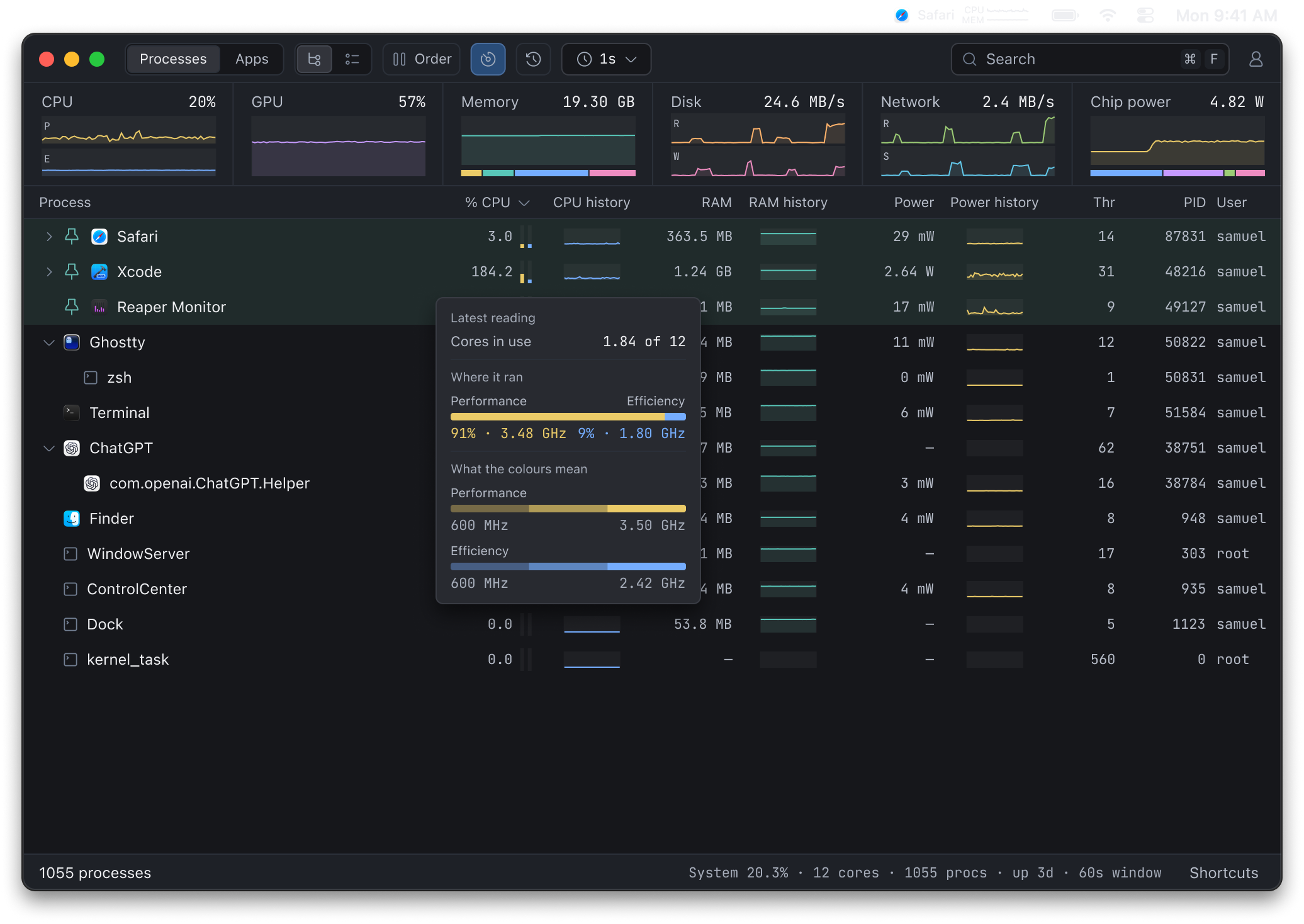
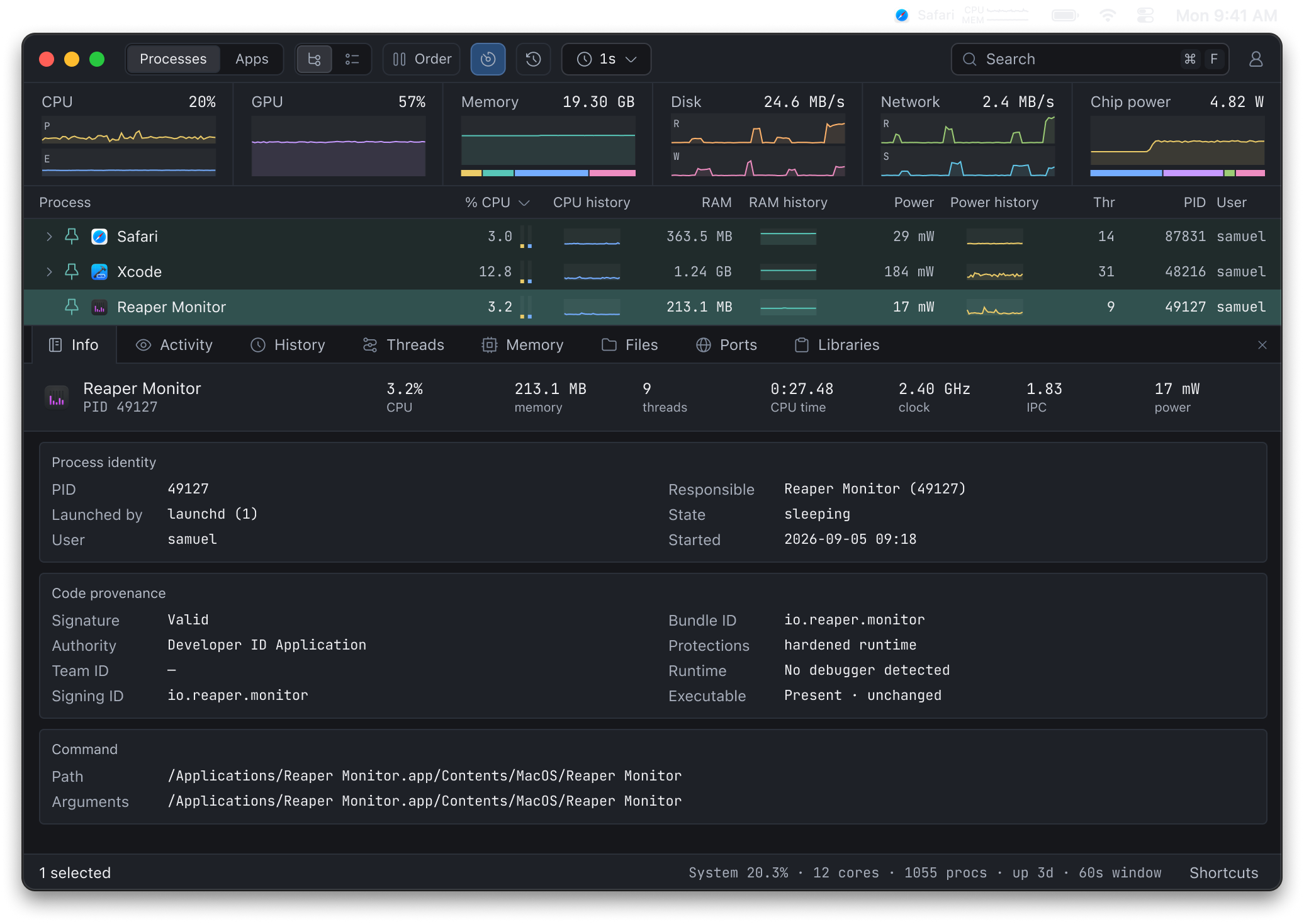
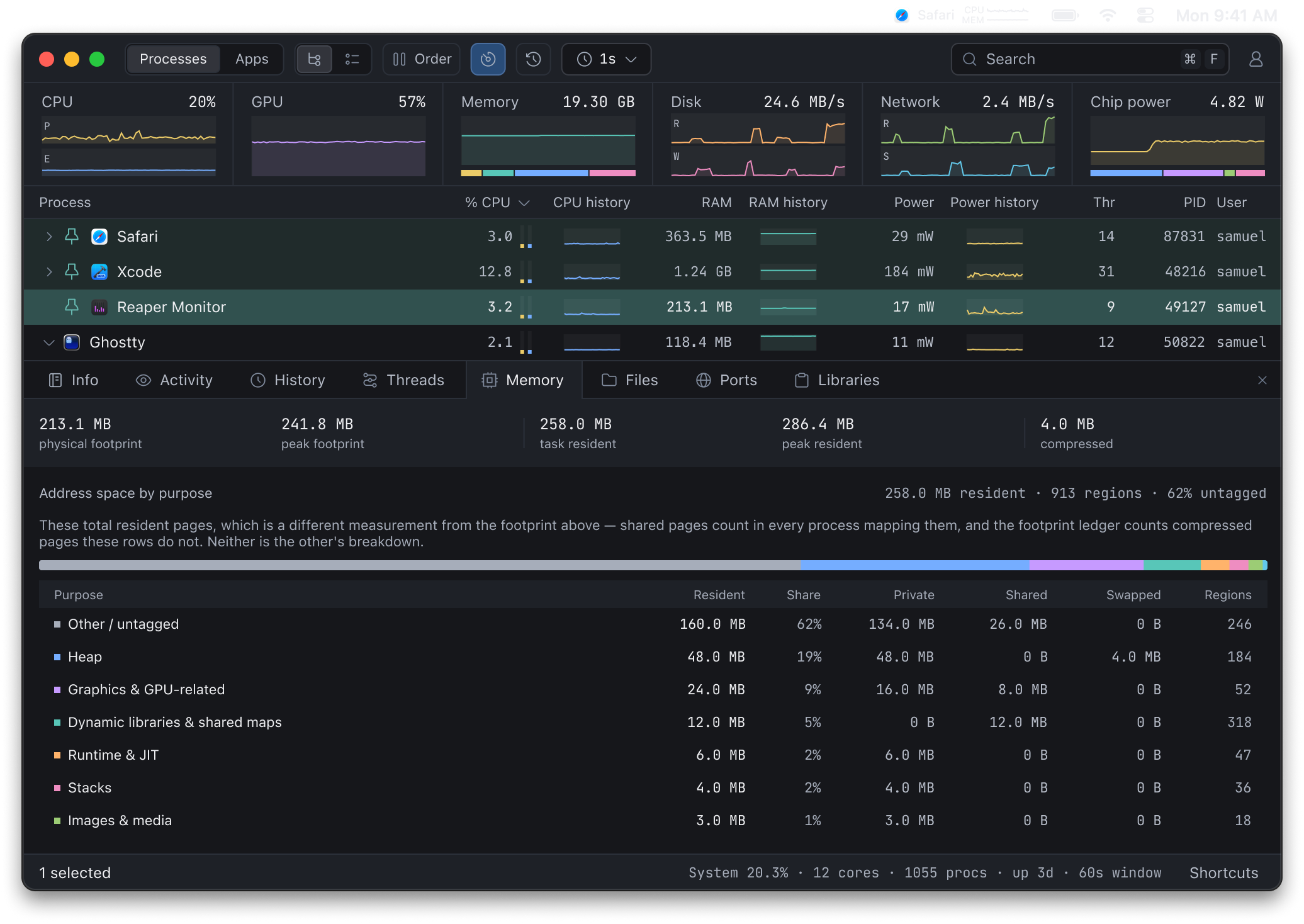
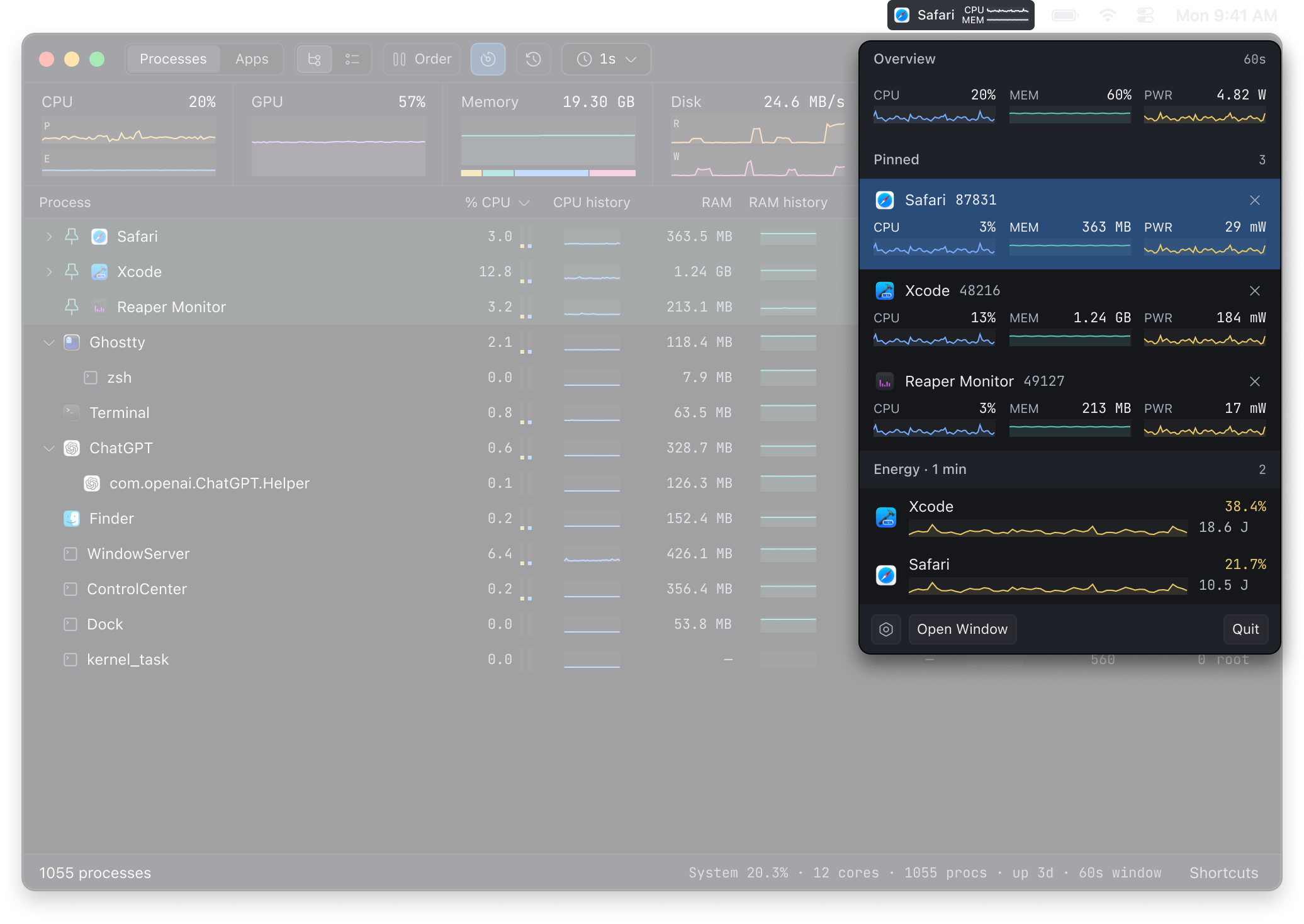
CPU usage, core types, and clock speeds
See how a process uses your CPU, with core-type usage and available clock readings alongside its CPU percentage. Follow system-wide CPU and GPU activity in the overview.
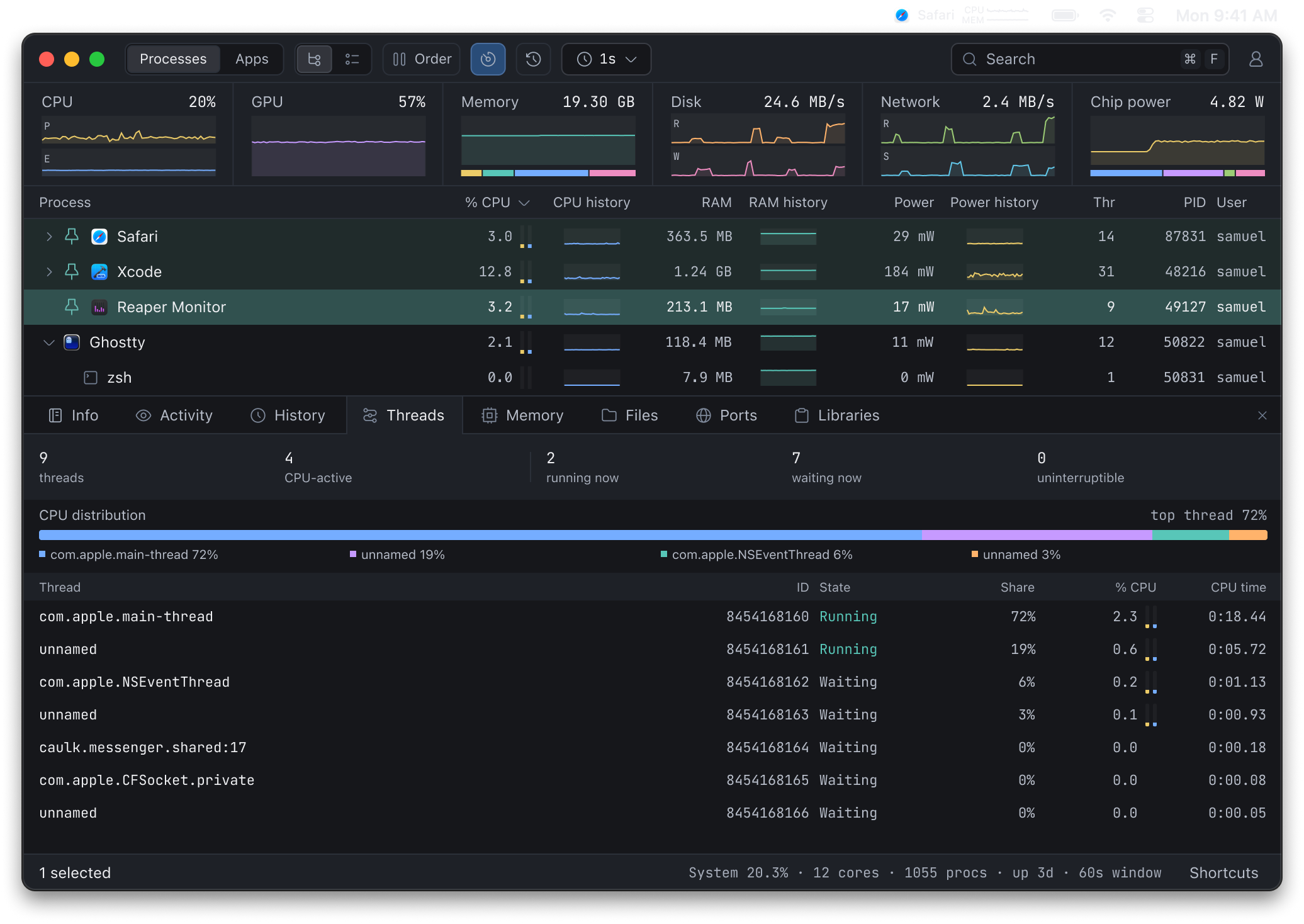
Individual thread statistics
Inspect the threads inside a running process. See each thread’s CPU usage, execution state, and core usage to find which threads are doing the work.
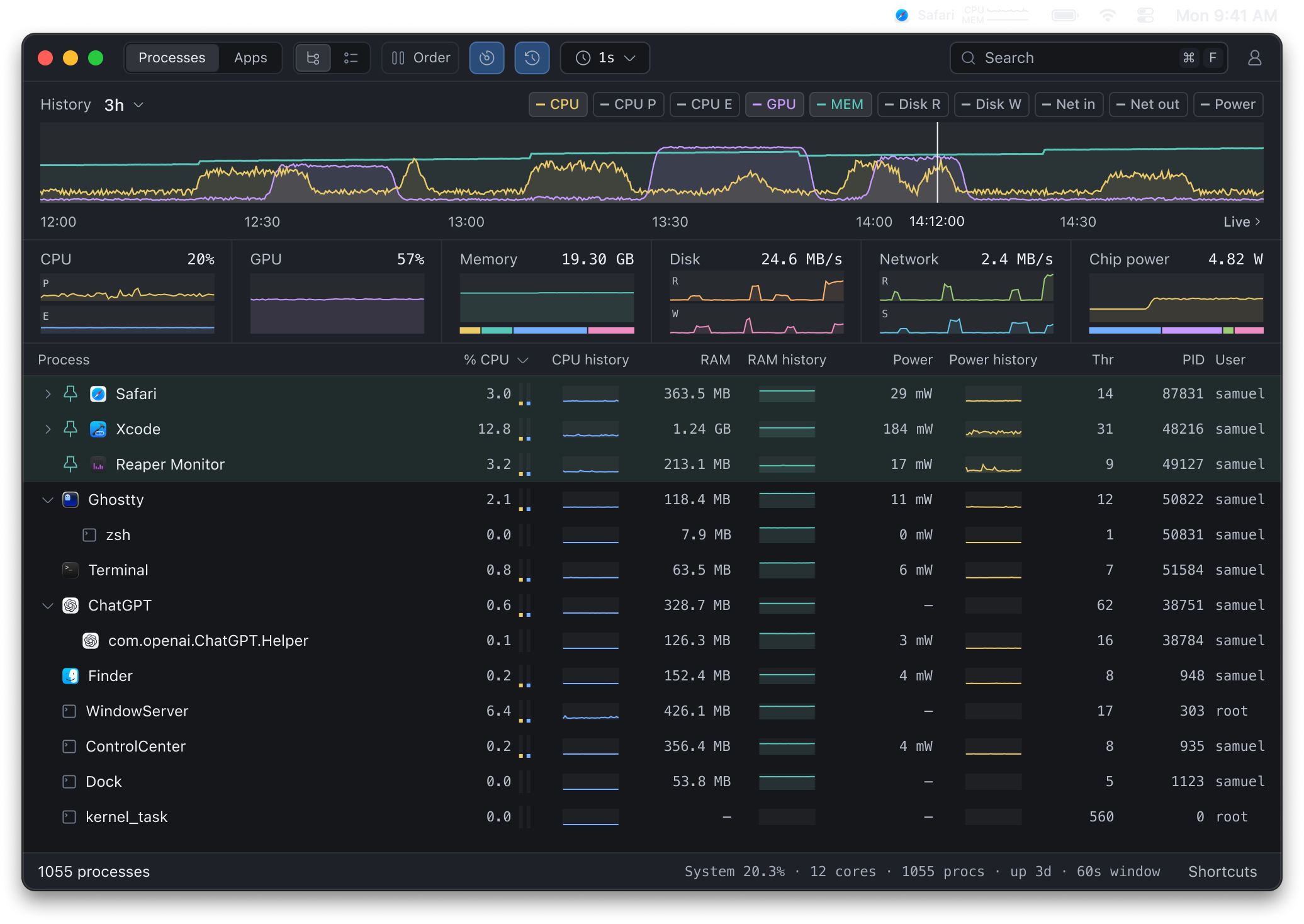
Up to 24 hours of recorded history
Rewind the overview and process list to investigate an earlier spike, even after a process exits. Monitor records while it runs and saves history locally across relaunches.
Combined app resource usage
See each app’s CPU, memory, and power use together with its helper processes. Switch between app totals and the full process tree. Hold the row order steady while readings keep updating.
Process and port search
Find a process by name, port number, executable path, launch argument, or PID. Identify what owns a local service, then inspect its memory mappings, open files, and network connections live.
Monitoring in your menu bar
Pin processes for quick access to their CPU, memory, and power readings. Show CPU and memory graphs for a process or your whole Mac directly in the menu bar.
Checking product options…
About Reaper Monitor
Which Macs does Monitor support?
Monitor is a native macOS app for Macs with Apple Silicon.
Are core types and clock speeds available on every Mac?
Core-type breakdowns and clock readings depend on your Mac’s hardware and the data macOS exposes. Monitor marks unavailable readings rather than showing them as zero. Individual thread statistics are available during live inspection.
What does history record?
Monitor saves process and system readings locally while it runs. Keep up to 24 hours, including across relaunches. Rewinding updates the overview, process and app tables, and recent graphs to the selected moment. The small process graphs show one minute of readings. Deep inspections such as threads and memory maps are available live.
How does the trial work?
Download Monitor and sign in inside the app. If you have no existing access and have not used a trial, your seven-day trial starts automatically. No card is required. Downloading or signing in on the website does not start the trial. Each account gets one trial; reinstalling does not restart it.
How do I activate my purchase?
Purchase here or inside Monitor, then sign in with the same Reaper account in the app. Once payment is confirmed, Monitor unlocks without reinstalling. An internet connection is required to sign in and periodically renew access. Monitor can work offline for up to seven days after authorization, but not beyond a trial’s end.
What does Monitor cost?
Monitor costs $29 USD as a one-time purchase for one person, on up to three personal Macs. All 1.x updates are included. Future major upgrades are optional; you can keep using the version you purchased. License terms.
Does Monitor upload process data?
Inspected process data stays on your Mac. Account, download, authorization, and update checks contact Reaper services.
Where do I get help?
Email support@reaper.io. Include your app version, macOS version, and a description of the problem. For purchase issues, see our refund policy.